Preparing artwork correctly is essential for accurate logo printing, surface decoration, and consistent color results in Custom Cosmetic Packaging. This guideline outlines how to prepare logo files for custom processes and ensure smooth communication from design through mass production.


01 
FILE FORMAT
REQUIREMENTS
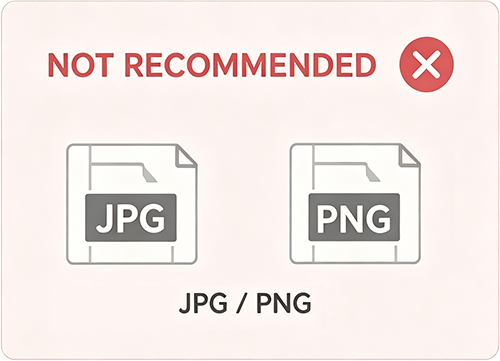
AI/CDR√ JPG/PNGX
02 
CONVERT TO
OUTLINES
Editable Text → Vector Shapes
03 
COLOR&DECORATIVE
OPTIONSGUIDELINES
PMS/ Printing/Special Effects
1. File Format Requirements
1. File Format Requirements
To ensure accurate color reproduction and sharp logo output, please prepare your artwork according to the guidelines below.
To ensure accurate color reproduction and sharp logo output, please prepare your artwork according to the guidelines below.
Preferred file formats (vector-based):
• Adobe Illustrator: AI / EPS
• CorelDRAW: CDR / EPS

Text & fonts:
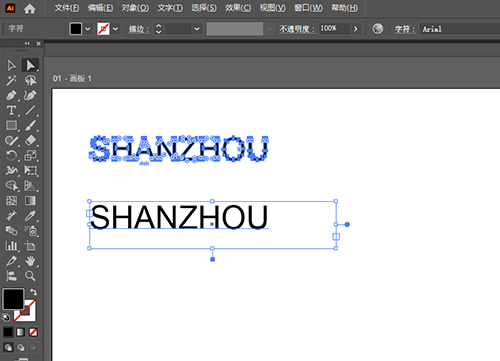
All text must be converted to outlines / curves / paths to avoid font substitution during production.
Raster files (PSD / JPG / PNG):
Raster formats cannot be used directly for printing.
If your artwork is only available as a raster file, our design team can assist with vector
*recreation or conversion (additional service fee may apply).

Note: “Convert to outlines / curves” means turning text into vector shapes so fonts remain consistent during production.
Note: “Convert to outlines / curves” means turning text into vector shapes so fonts remain consistent during production.
2. Convert to Outlines
2. Convert to Outlines
Once text is converted to outlines (or curves), it becomes vector shapes instead of editable text.
Once text is converted to outlines (or curves), it becomes vector shapes instead of editable text.
This allows:
• Precise scaling and printing without quality loss
• Stable font appearance across production systems
Please note:
Text content, font name, and spelling cannot be edited after conversion.If future text edits may be required, please provide:
• Editable version (with live text)
• Outlined version (for production)

3.Color & Decorative Options Guidelines
3.Color & Decorative Options Guidelines
• Color Specifications
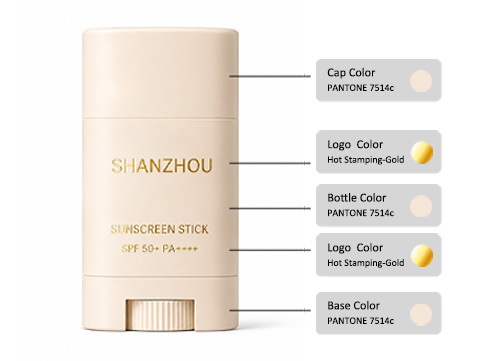
Design artwork using Pantone Matching System (PMS) color codes for exact color replication on molded plastic, glass, or aluminum.
Learn How to Customize Packaging Colors.
• Color Specifications
Design artwork using Pantone Matching System (PMS) color codes for exact color replication on molded plastic, glass, or aluminum.
Learn How to Customize Packaging Colors.
• Decorative Options
-Use solid vector colors for screen printing, hot stamping, or laser etching artwork. Metallic effects (gold, silver or rose gold) are achieved through hot stamping, not ink printing.
- Gradients or complex visual effects are considered special processes and require feasibility confirmation in advance.
-For embossed, debossed, or metallic effects, please clearly mark them in separate artwork layers, or provide a visual mock-up for reference.

Note: For gradients or complex visual effects, please contact us for specialized process feasibility. Explore our Surface Finishes & Logo Options
Note: For gradients or complex visual effects, please contact us for specialized process feasibility. Explore our Surface Finishes & Logo Options
4. File Submission Checklist
4. File Submission Checklist
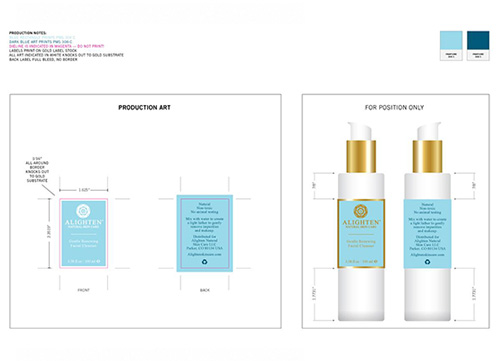
• For multiple files, please compress them into a ZIP folder before sending.
• If your AI file contains linked images, please include the corresponding JPG files in the same folder.
• If text has not been converted to outlines, please attach the font files (TTF format) to ensure accurate rendering.

Standard Package Example:
Please organize your files clearly by naming them with project codes and process types (e.g.P164_Logo_HotStamping.ai)
Standard Package Example:


